
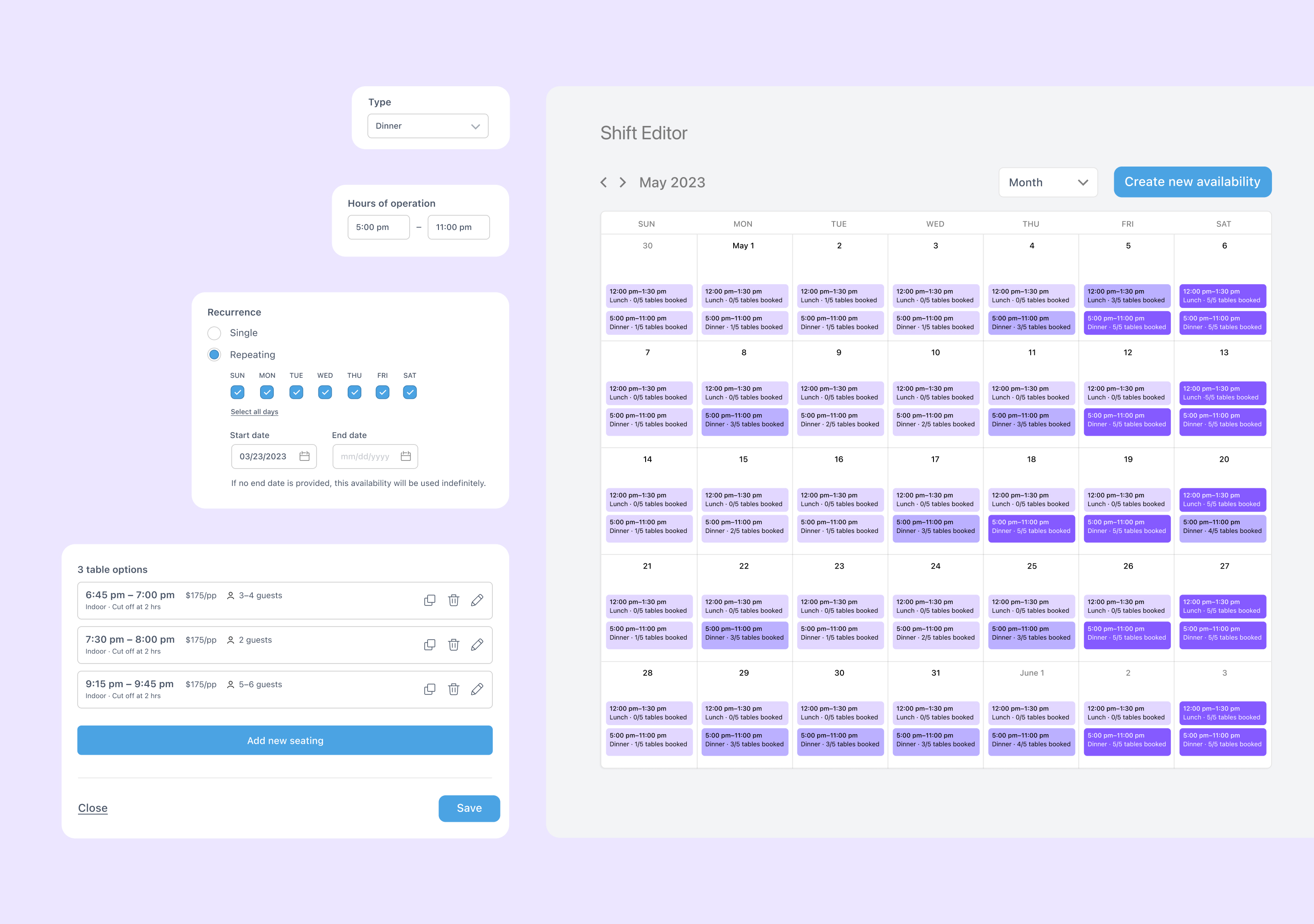
Restaurant Shift Editor
A web app product for tracking and editing a restaurant's schedule allowance for Dorsia bookings
I designed a restaurant availability shift editor for Dorsia, enabling our hospitality team to manage and update booking availability seamlessly. This tool streamlines shift creation, duplication, and edits, providing a top-level view of seatings across restaurant shifts and simplifying a previously complex and manual process.
Team
- Jenny Liu Zhang, design lead
- Joshua Stern, product lead
Activities
- Competitive research
- Product strategy
- Journey mapping
- User flows
- Prototyping
Stakeholders
- Dorsia Hospitality Team
- Dorsia Restaurant Partners
Timeline
- 5 weeks
Creative Process
Competitive Research
I analyzed similar interfaces from industry leaders like SevenRooms and Resy OS, identifying best practices, removing complexity, and pinpointing areas unique to Dorsia, such as its minimum spend feature.
User Context Gathering
I collaborated closely with the hospitality team to understand their primary pain points, learning about the specific inventory management challenges they faced daily, including repeated seatings and painstaking manual edits of small changes shift to shift.
First Principles UX Design
By iterating on a calendar layout, I adapted the interface to work within the day-of-week template structure that restaurants commonly use, creating a system that felt intuitive and easy to navigate.
User Walkthroughs
I conducted detailed walkthroughs to address edge cases like holiday shifts and small yet critical edits, ensuring the tool could handle complex, real-world scenarios effectively.
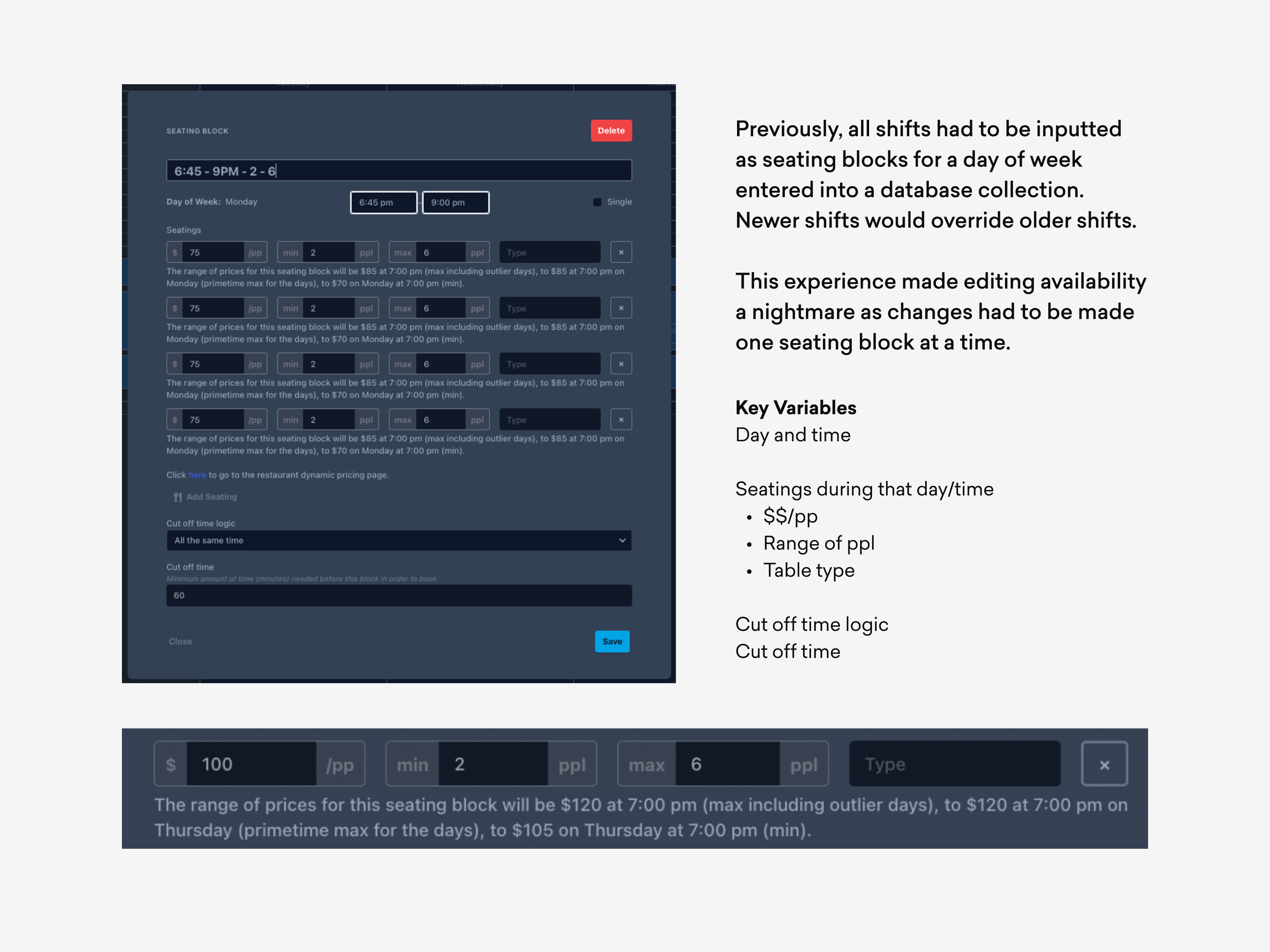
Key Quality
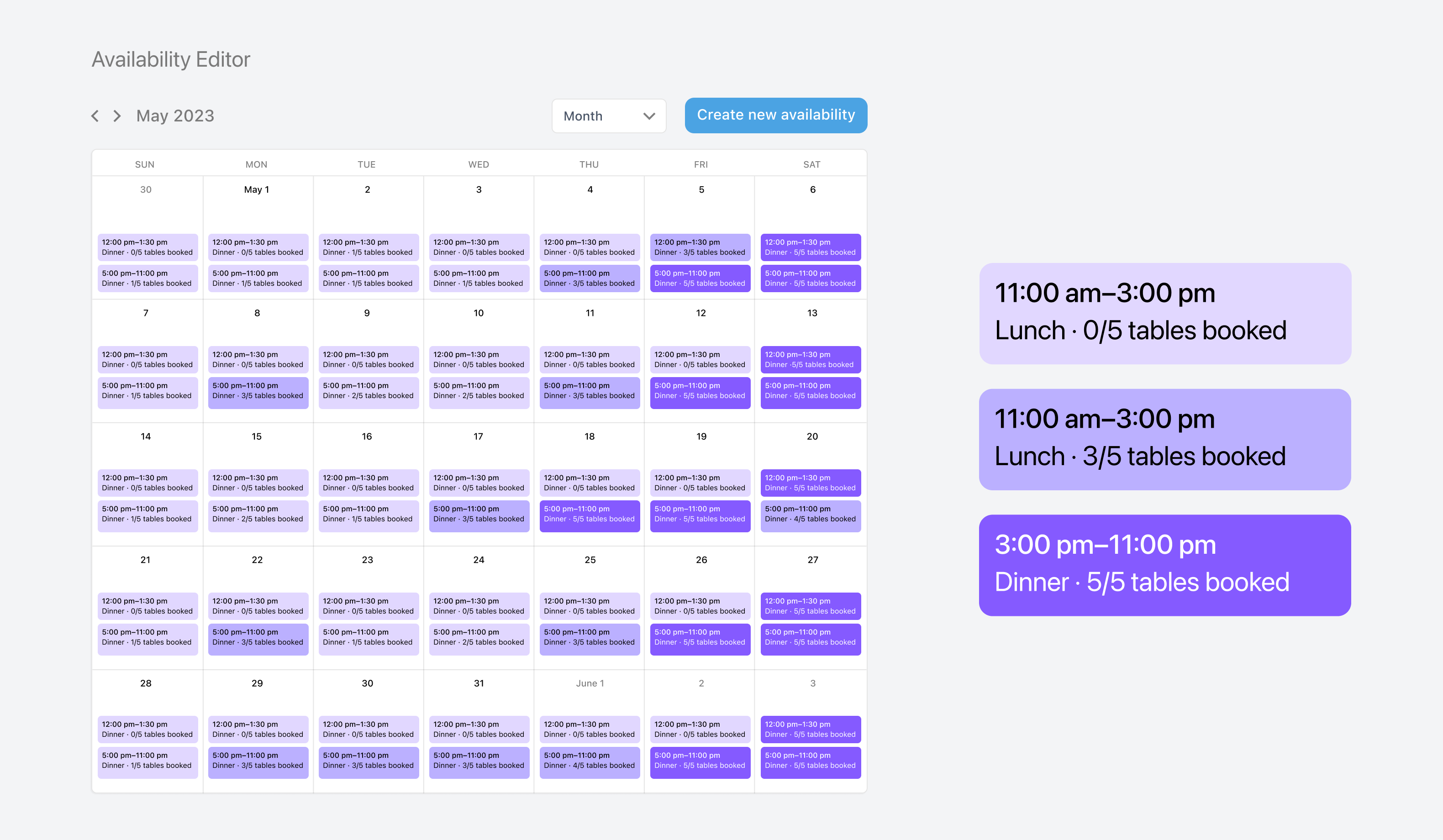
Visual and Quick-to-Use Calendar Layout
The shift editor interface is a calendar-based layout, allowing users to see availability across shifts and make edits on individual or bulk days with ease. Shifts are visually segmented, enabling the Hospitality team to track availability, including critical details like seating times and minimum spends, at a glance. This view gives the team a real-time understanding of availability status, simplifying efforts to market or promote open time slots.
Key Quality
Shift-Based Editing to Reflect Existing Heuristics
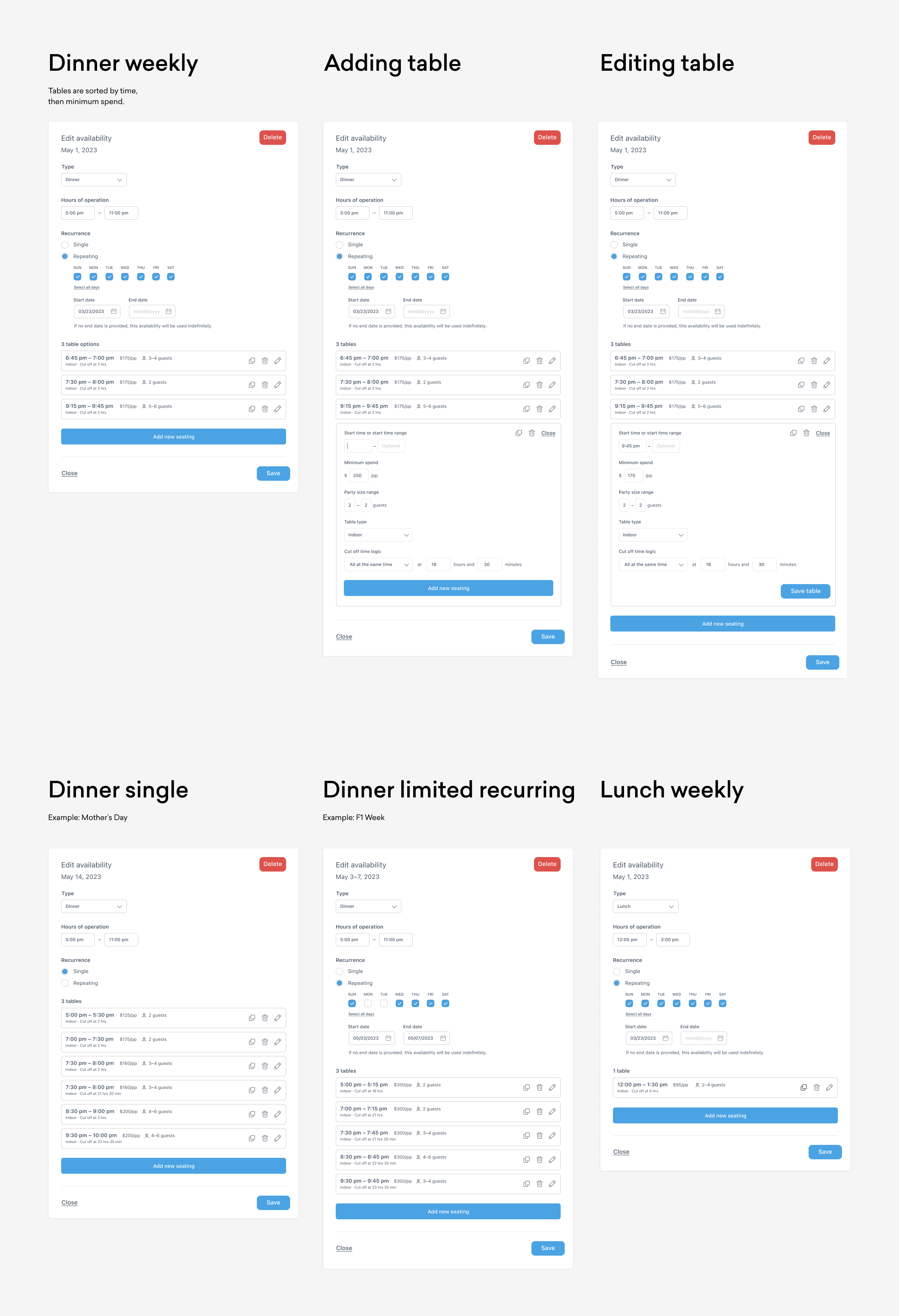
By grouping seatings under top-level shifts (e.g., “Lunch” and “Dinner”), the tool aligns with the restaurant’s natural scheduling rhythm, making it straightforward to edit, duplicate, or override shifts in bulk. This approach not only eases updates but also enhances consistency across repeated seatings, allowing the team to handle recurring availabilities without duplicating manual work each time they need to make a minor update.
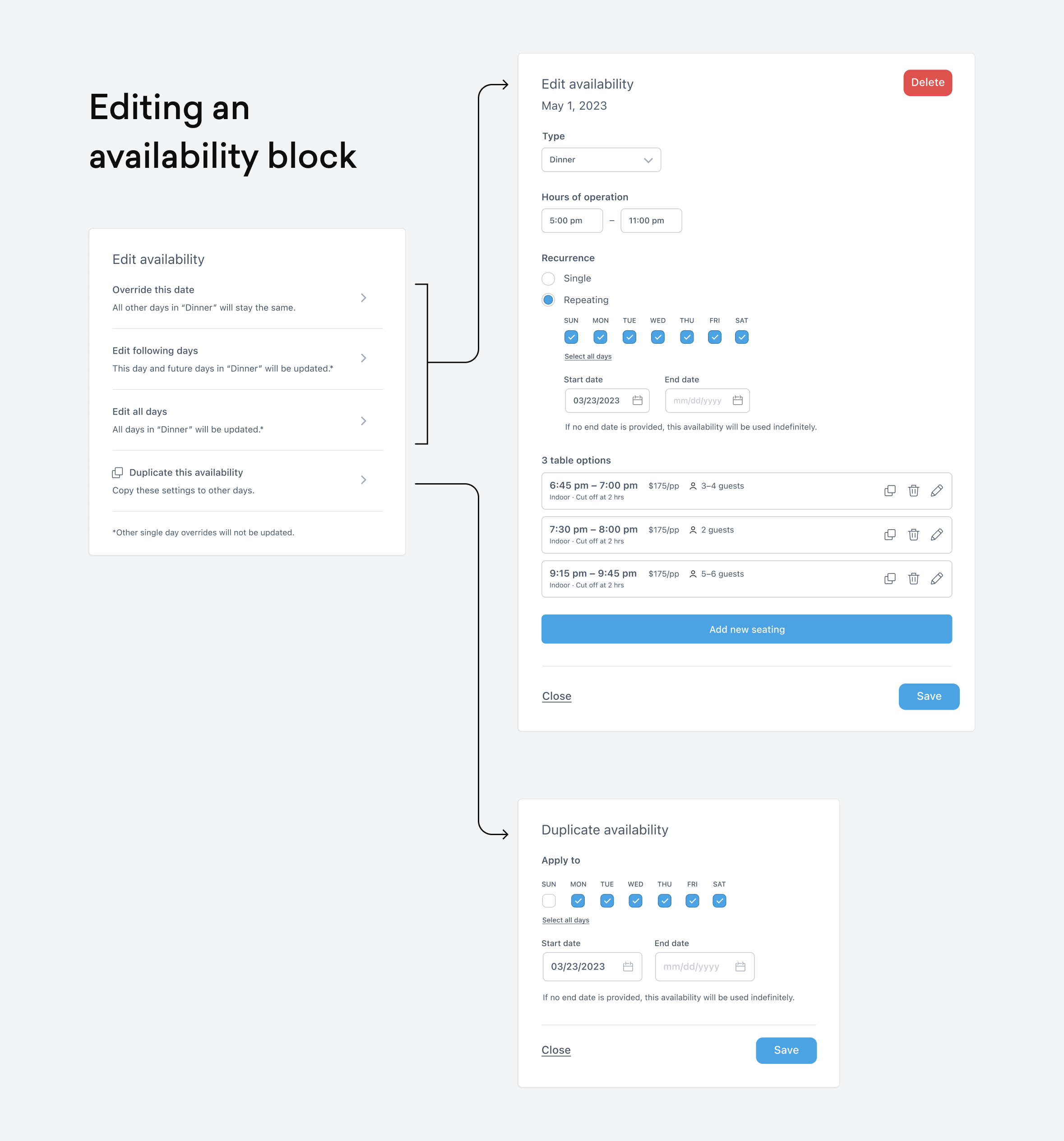
Key Quality
Attention to Edge Cases
Edge cases like holiday scheduling and other unique variations are often the most challenging aspects of availability management. My design addresses this by offering flexible, granular controls, allowing the team to adjust for non-standard days effortlessly. The editor also supports nuanced updates to minimize the need for complete re-entry, enhancing both the team’s speed and confidence in handling special requests.
Project Takeaways
Lockstep Cross-Functional Collaboration is Possible
Working directly with the hospitality team was key to understanding the full scope of their needs. Having structured conversations early on helped avoid assumptions, allowing me to design a tool truly adapted to their workflow.
Design for the Novice User
I learned that the workflow of the hospitality team required any member to make adjustments to a schedule despite their seniority. I found the calendar—a familiar interface for most—was the easiest way to ensure accessibility. It also helped overexplain in the UI, especially for cutoff logic and availability end dates, to aid non-expert usage.
Follow Your Intuition
Creating a shift-based organization allowed for a clearer, more intuitive interface, empowering our team to manage availability quickly. This project reinforced the importance of designing around natural workflows to improve user experience and operational efficiency.